
wolf-rbac
Summary#
Name#
wolf-rbac is an authentication and authorization (rbac) plugin. It needs to work with consumer. Also need to add wolf-rbac to a service or route.
The rbac feature is provided by wolf. For more information about wolf, please refer to wolf documentation.
Attributes#
| Name | Type | Requirement | Default | Valid | Description |
|---|---|---|---|---|---|
| server | string | optional | "http://127.0.0.1:10080" | Set the service address of wolf-server. | |
| appid | string | optional | "unset" | Set the app id. The app id must be added in wolf-console. | |
| header_prefix | string | optional | "X-" | prefix of custom HTTP header. After authentication is successful, three headers will be added to the request header (for backend) and response header (for frontend): X-UserId, X-Username, X-Nickname. |
API#
This plugin will add several API:
- /apisix/plugin/wolf-rbac/login
- /apisix/plugin/wolf-rbac/change_pwd
- /apisix/plugin/wolf-rbac/user_info
You may need to use interceptors to protect it.
Dependencies#
Install wolf and start the service#
Add application, admin, normal user, permission, resource and user authorize#
How To Enable#
- set a consumer and config the value of the
wolf-rbac。
You can visit the dashboard: http://127.0.0.1:9080/apisix/dashboard/, to complete the above operations through the web interface, first add a consumer:
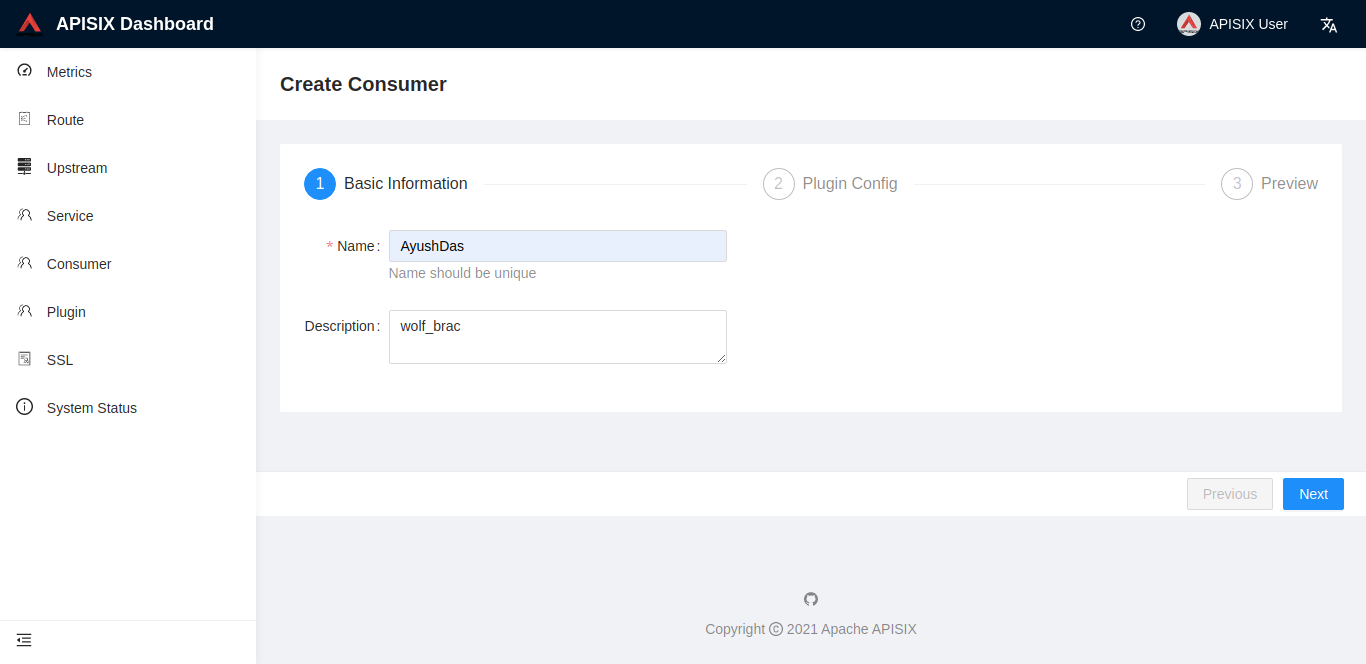
Then add the wolf-rbac plugin to the consumer page:
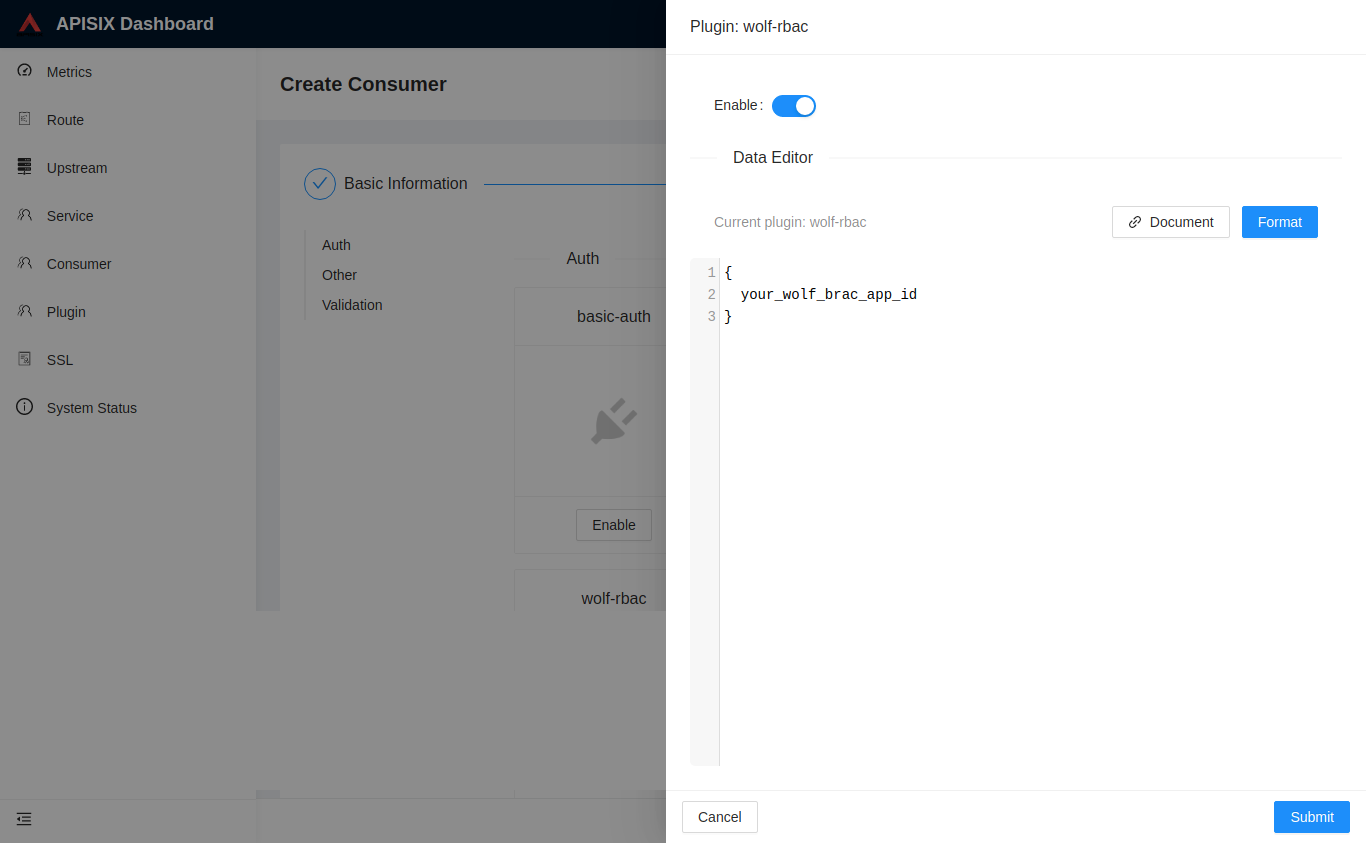
Notes: The appid filled in above needs to already exist in the wolf system.
- Add a
RouteorServiceand enable the wolf-rbac plugin.
Test Plugin#
Login and get wolf-rbac token:#
The following appid, username, and password must be real ones in the wolf system.
- Login as
POST application/json
- Login as
POST x-www-form-urlencoded
try request with token#
- without token
- request header(Authorization) with token:
- request header(x-rbac-token) with token:
- request params with token:
- request cookie with token:
Get RBAC user information#
Change 'RBAC' user password#
Disable Plugin#
When you want to disable the wolf-rbac plugin, it is very simple,
you can delete the corresponding json configuration in the plugin configuration,
no need to restart the service, it will take effect immediately: