
Zipkin
Summary#
Name#
Zipkin is a OpenTracing plugin.
It's also works with Apache SkyWalking, which is support Zipkin v1/v2 format.
Attributes#
| Name | Type | Requirement | Default | Valid | Description |
|---|---|---|---|---|---|
| endpoint | string | required | the http endpoint of Ziplin, for example: http://127.0.0.1:9411/api/v2/spans. | ||
| sample_ratio | number | required | [0.00001, 1] | the ratio of sample | |
| service_name | string | optional | "APISIX" | service name for zipkin reporter | |
| server_addr | string | optional | IPv4 address for zipkin reporter, default is nginx built-in variables $server_addr, here you can specify your external ip address. | ||
| span_version | integer | optional | 2 | [1, 2] | the version of span type |
Currently each traced request will create spans below:
Previously we created spans below:
Note: the name of span doesn't represent the corresponding Nginx's phase.
If you need to be compatible with old style, we can set span_version to 1.
How To Enable#
Here's an example, enable the zipkin plugin on the specified route:
You can open dashboard with a browser: http://127.0.0.1:9080/apisix/dashboard/, to complete the above operation through the web interface, first add a route:
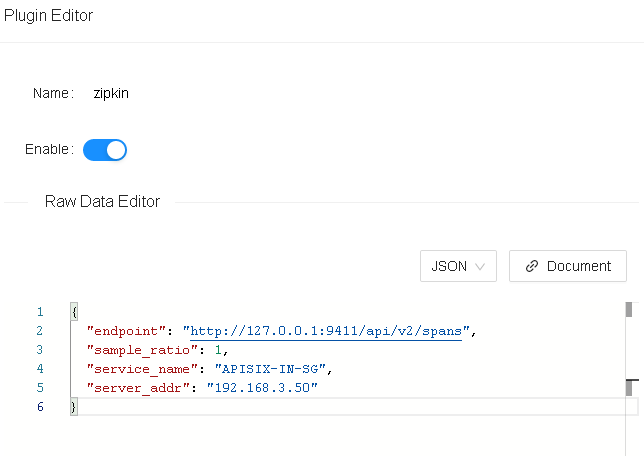
Then add zipkin plugin:

Test Plugin#
run the Zipkin instance#
e.g. using docker:
Here is a test example:
Then you can use a browser to access the webUI of Zipkin:
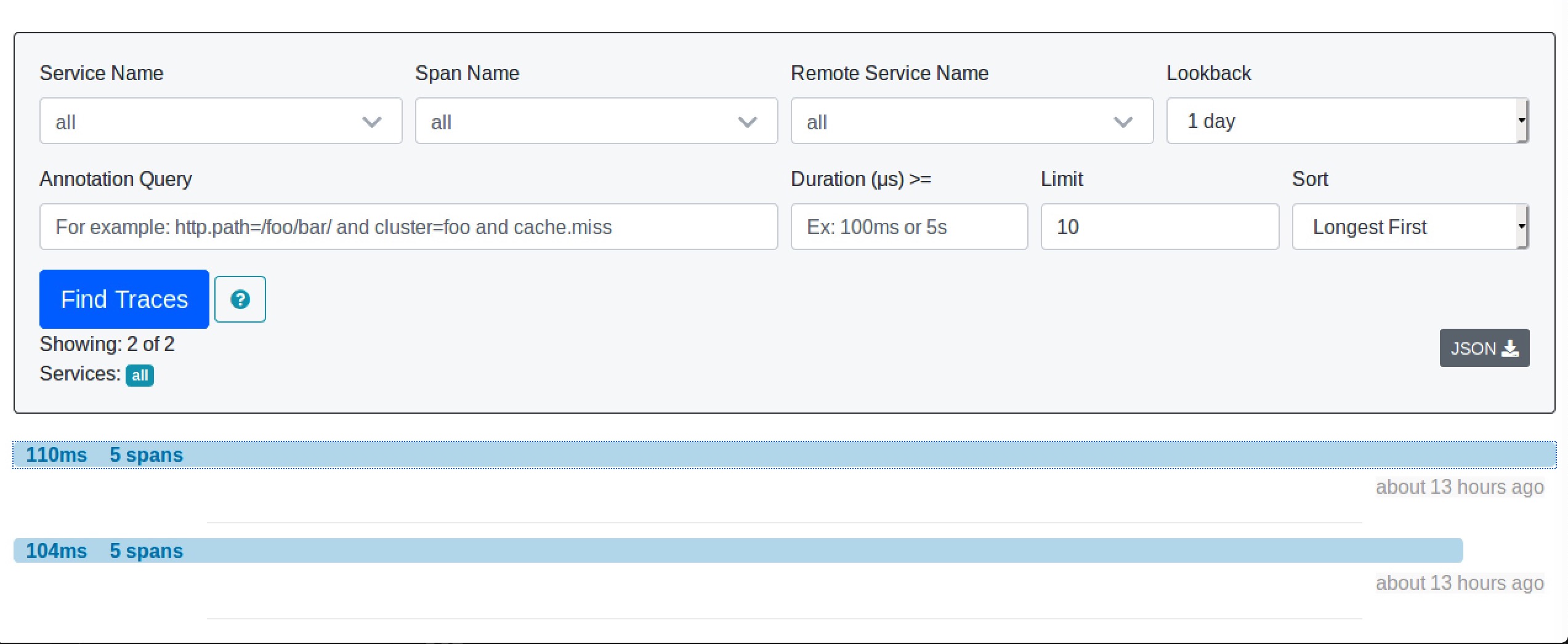
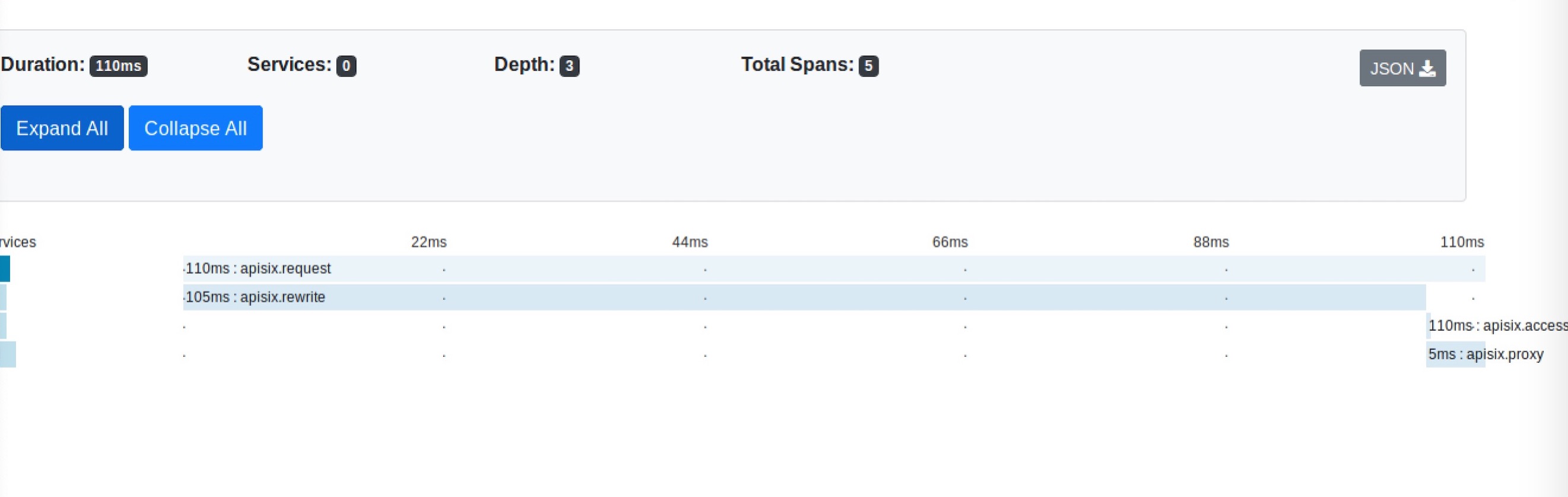
Disable Plugin#
When you want to disable the zipkin plugin, it is very simple, you can delete the corresponding json configuration in the plugin configuration, no need to restart the service, it will take effect immediately:
The zipkin plugin has been disabled now. It works for other plugins.